
When you create a new site on Rocket.net, you probably noticed that only English is available on our installer:

We have plans to add more languages by default in the installer. For now you can easily change the WordPress language after installation.
After installing your WordPress site, login into the WordPress Dashboard. Click on "Settings" and themn click on "General":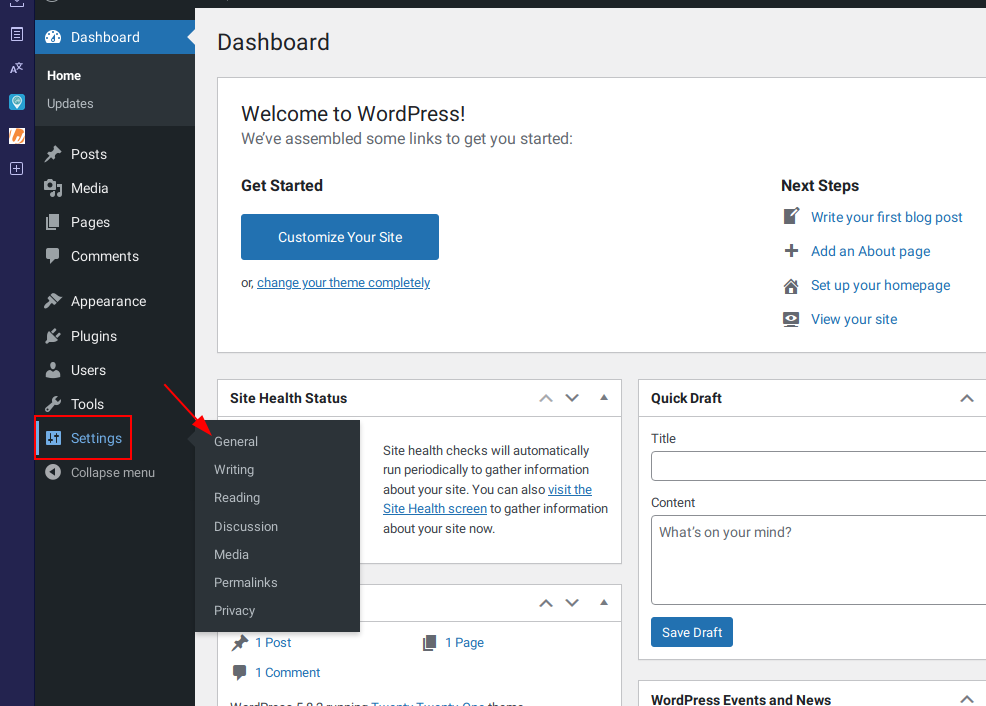
Click on the down arrow to the right of "English (United States)". You can now scroll and choose the language you want for your WordPress installation: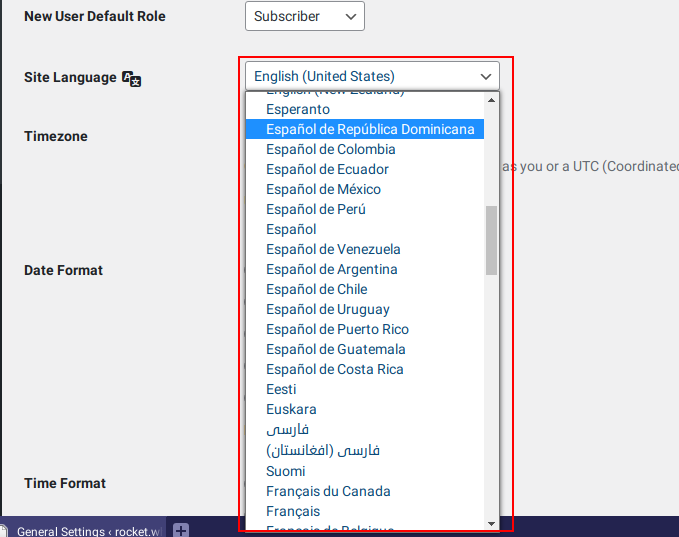
Click Save Changes at the bottom, and your WordPress installation will now be in the language that you chose.
If you have any issues or require assistance, please do not hesitate to Submit a Ticket to our Support Team.
Comments
0 comments
Article is closed for comments.