
Once your product is setup on woocommerce customer can view it and buy it by adding it to cart 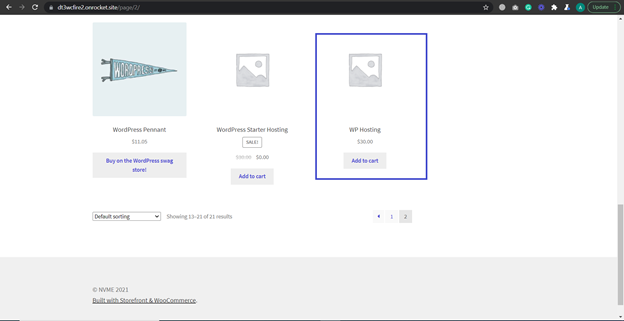
Once product is added to cart it will look like this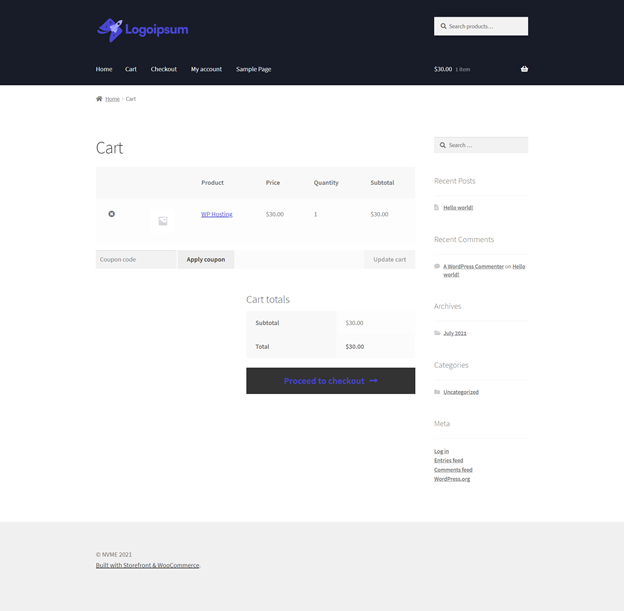
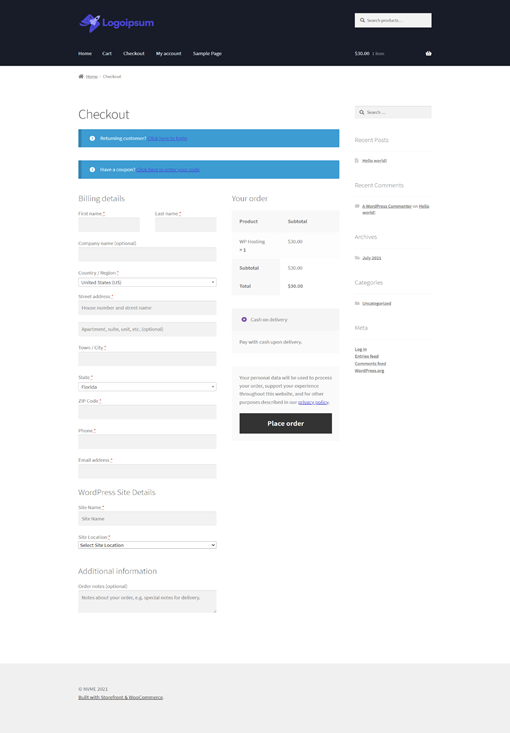
When customers proceed to checkout for that product, they will be prompted to fill in all billing details as well as the details for their new WordPress site, such as Site Name and Server Location.
Once order is received it will be in the Pending state. You need to WordPress admin area and go to Order under WooCommerce on Left: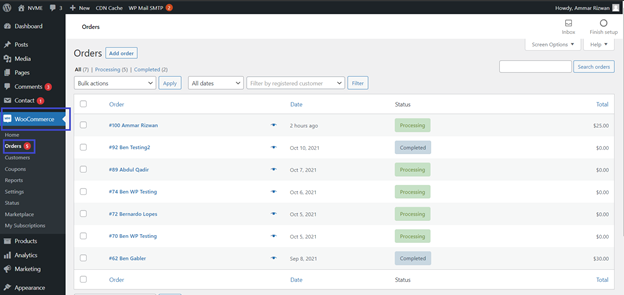
Here you can see Processing and Completed these are the status which you can change depending on the payment. It can be changed by clicking on Processing.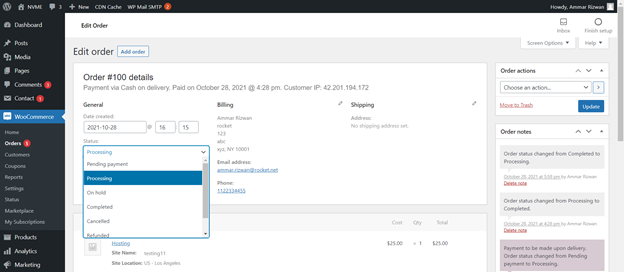
When you're ready to create the WordPress site, simply change the order status from Processing to Completed and your site will automatically be created.
After a site is created, your customer can manage the site and access the control panel directly in the My Account section of WooCommerce.
Comments
0 comments
Article is closed for comments.