
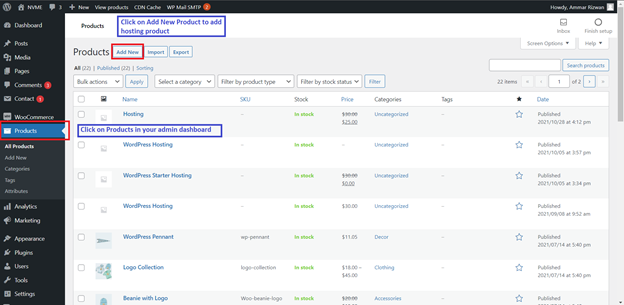
To configure hosting products to WooCommerce you will need to follow the steps in this article. First, go to products in admin dashboard and click on "Add New" under All Products.
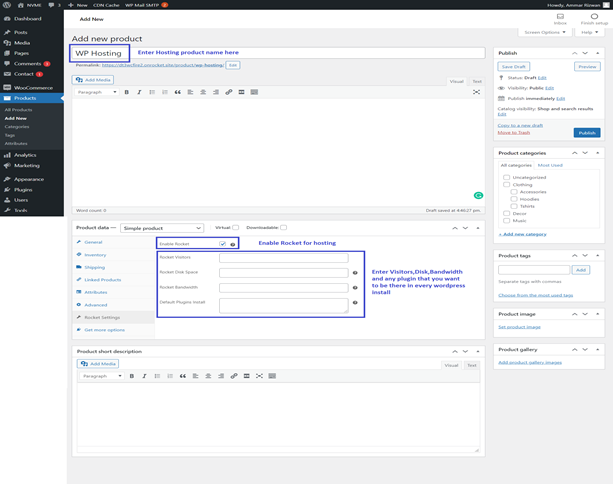
Add all product details such as:
-
- Product Name
- Price
- Enable Rocket under Rocket Setting
- Add Bandwidth, Disk, Visitors and any default plugins
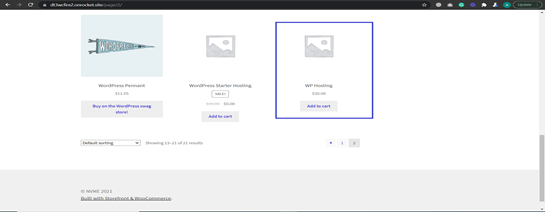
Once a Product is added it will be displayed on your Woocommerce store as shown here:
If you have any issues or require assistance, please do not hesitate to Submit a Ticket to our Support Team.
Comments
0 comments
Article is closed for comments.