
To change change colors for WordPress Control panel, Log in to the WordPress Dashboard where your Rocket.net WooCommerce plugin is installed. Click on Rocket.net, which should be located at the end of the WordPress Dashboard Sidebar on the left.
Here you can change the colors of the following elements:
- Body Background
- Icon Primary
- Icon Secondary
- Primary
- Primary Hover
- Primary Active
- Primary Menu Hover
- Primary Menu Active
- Default Plugins for new WordPress install
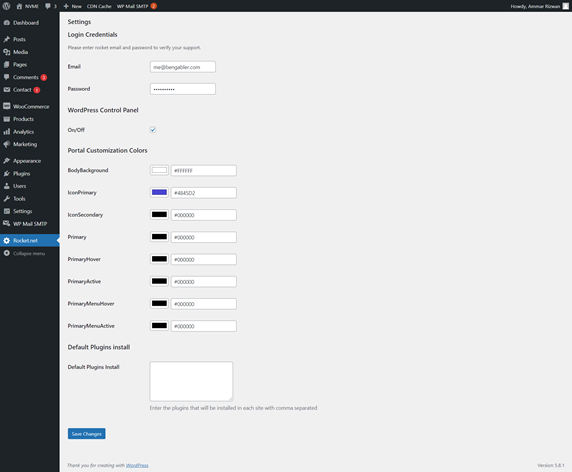
Once all these colors are updated they will be reflected on your client's account.
If you have any issues or require assistance, please do not hesitate to Submit a Ticket to our Support Team.
Comments
0 comments
Article is closed for comments.